

Before and after

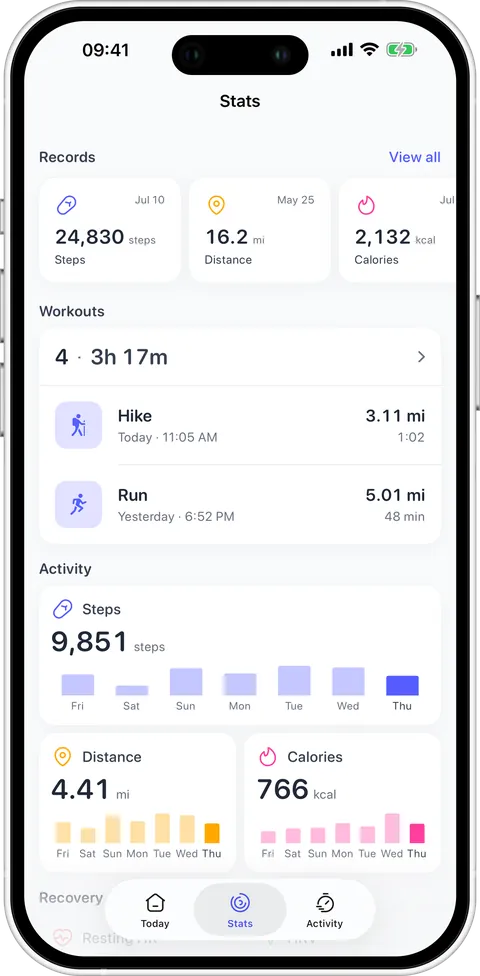
Podo shipped 8 versions between August 31, 2026 and September 20, 2026. This page keeps all of them: what changed, why, and — where the change was visible — the screen from the older build next to the new one. The old frames are real builds of the tagged commits, not redrawings.

  1. 1.2.0

    Your heart rate, measured by the phone camera

    Until now everything Podo knew about your heart came from a watch. This version takes the measurement itself: hold a fingertip over the rear camera, and for thirty seconds the flash lights the blood in your finger while the camera reads how the brightness changes with every beat. You get a pulse, and — because the app times the gaps between beats, not just their number — a heart rate variability reading too. Both go to Apple Health, and a measurement taken sitting calmly also counts as resting heart rate, which is what builds your own baseline. The new Heart Rate screen puts those readings on one chart with whatever your watch recorded, alongside the day’s range, your resting line and a trend over weeks. If your resting heart rate stays above your own norm for several days in a row, the app says so once — sleep, a cold, stress and alcohol all show up there before you notice them yourself. It is an estimate, not a medical device.
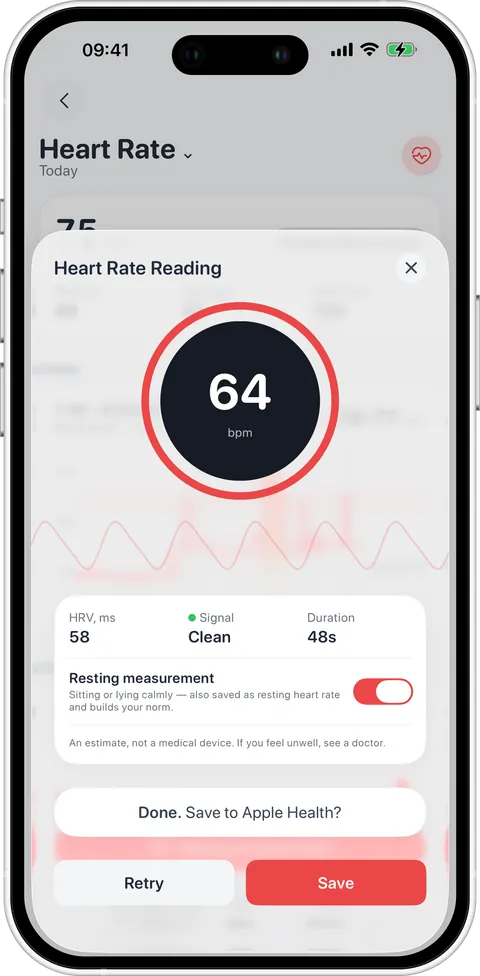
    Measurement in Podo 1.2.0

    Thirty seconds with a fingertip on the lens: pulse, HRV and signal quality.

    Today in Podo 1.1.0 Today in Podo 1.2.0
    Activity in Podo 1.1.0 Activity in Podo 1.2.0
    • Resting heart rate above your own baseline for several days in a row now sends a single, quiet notification — and the app’s master notification switch silences it like everything else.
    • Workout splits are honest again: a cleaner GPS track, and finishing no longer loses the last seconds.
    • A workout Apple Watch could not hand over is saved instead of lost, and paused stretches stop drawing straight lines across the map.
    • Charts and detail screens got faster; scrolling on Today and Stats is smoother.
    • Analytics never receive health values — only whether a feature worked.
  2. 1.1.1

    Records get a podium, heart rate gets its zones

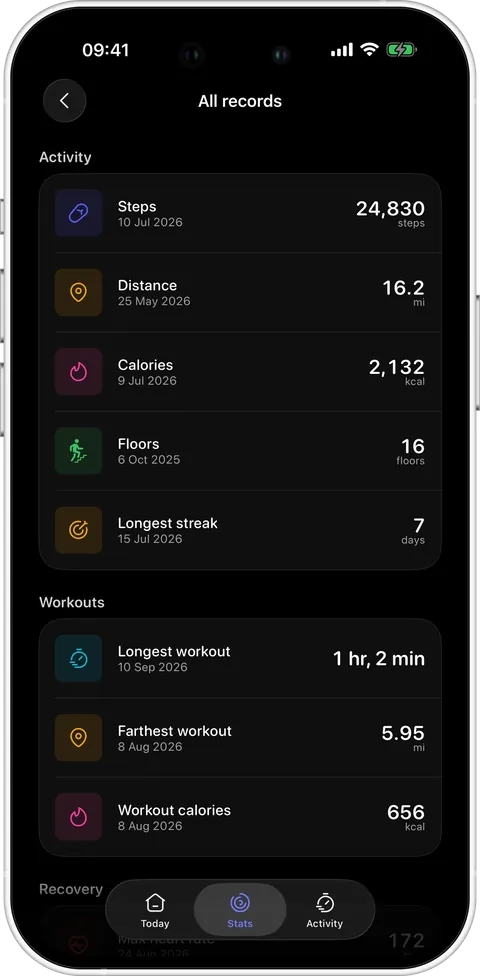
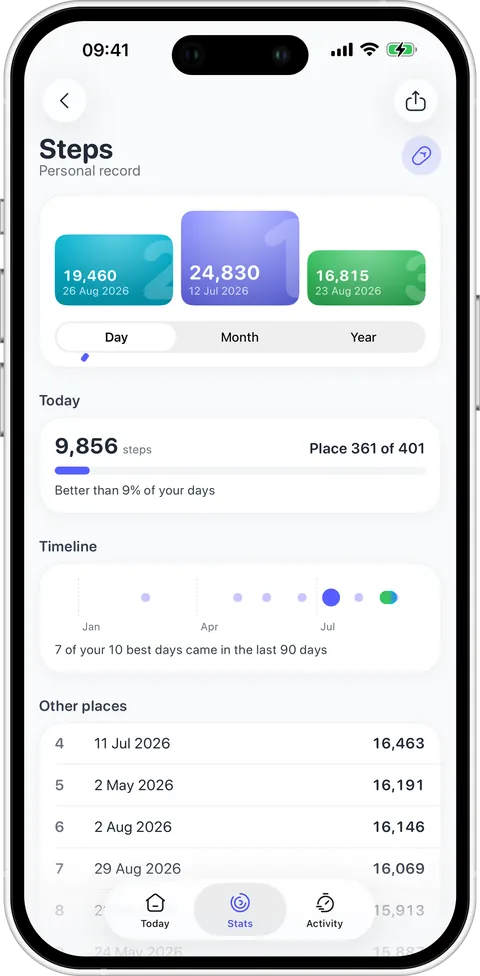
    A personal record used to be one number and a date. Now tapping it opens a podium: your three best results on the steps, places four to ten under them, and — the part that matters on an ordinary day — where today stands among every day on record: 47th of 612, better than 92 % of your days. Steps, distance, calories and floors also get best months and best years, and a timeline shows when the records happened, so you can tell whether your best days are behind you or in the last ninety. Workouts got the same treatment for heart rate: five zones as coloured bands, the line coloured by how far you were from the zone you were aiming for, and time in zones that stops counting while you wait at a traffic light.

    Record in Podo 1.1.1

    The podium, places 4–10, and where today ranks among all your days.

    Workout in Podo 1.1.0 Workout in Podo 1.1.1
    Digest in Podo 1.1.0 Digest in Podo 1.1.1
    Stats in Podo 1.1.0 Stats in Podo 1.1.1
    • A target heart rate zone in Goals, and your own maximum heart rate in Profile — otherwise it is taken from the highest reading of the last year, or estimated from your age.
    • Splits are a pace chart now: tap a kilometre for its climb, descent and average heart rate.
    • The AI workout insight folds into a short card; the full text opens in a sheet.
    • While a digest is being written you see a sphere of particles instead of a spinner and empty charts.
    • Share a record as a card with a Personal record badge.
    • In dark mode a card catches a little of its metric’s colour along the top edge.
  3. 1.1.0

    Every walk, found by itself

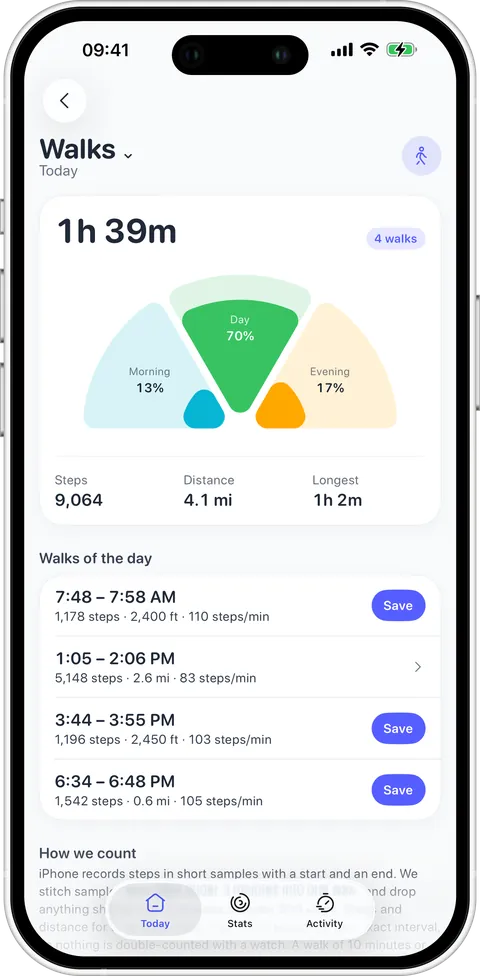
    A pedometer knows how many steps you took and almost nothing about when. Podo now reads the raw step samples the iPhone already writes — each one with a start and an end — and stitches the close ones into walks. No watch, no start button, nothing to remember: the day arrives already split into the walk to the metro, the hour on the hill, the loop after dinner. Each walk carries its duration, steps, distance and pace, and a fan of morning / afternoon / evening shows when you actually move — usually not when you thought. Anything from ten minutes can go into Apple Health as a Walking workout in one tap.

    Walks in Podo 1.1.0

    The day split into walks, with the morning / afternoon / evening fan above them.

    Today in Podo 1.0.4 Today in Podo 1.1.0
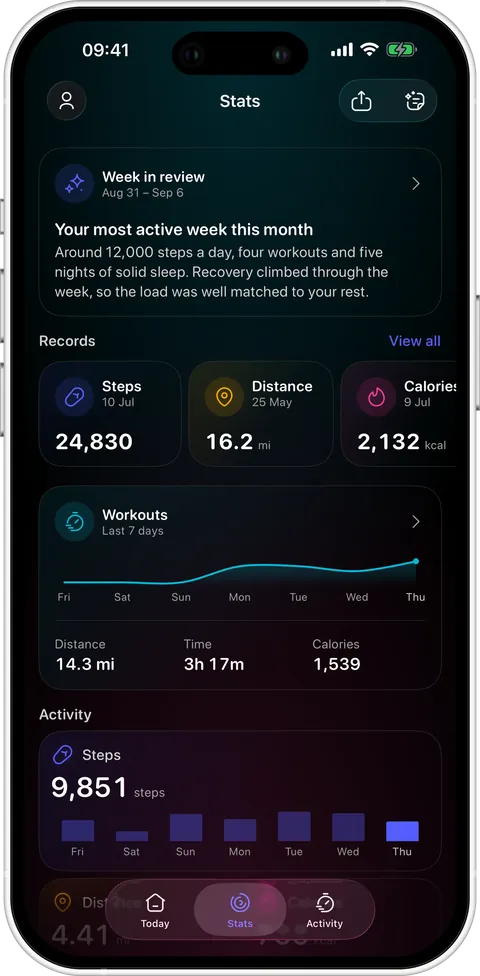
    Stats in Podo 1.0.4 Stats in Podo 1.1.0
    • A walk is five minutes of continuous walking and 300 steps or more — trips around the flat do not count.
    • Steps and distance for each walk are read from Apple Health for that exact interval, so nothing is double-counted with a watch.
    • Saving a walk as a workout has a five-second undo; nothing reaches Apple Health until it runs out.
    • Any single metric can be shared as a card, with a Personal record badge.
    • The calendar now flips only through months that have data.
    • Workout splits account for pauses, and a record can be deleted.
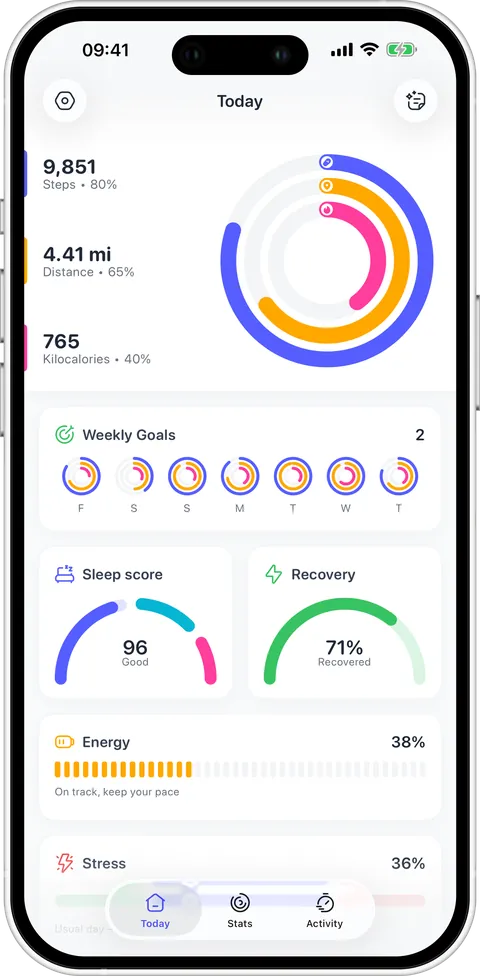
    • Onboarding was rebuilt on your own history instead of stock screens.
  4. 1.0.4

    Dark mode gets its own light

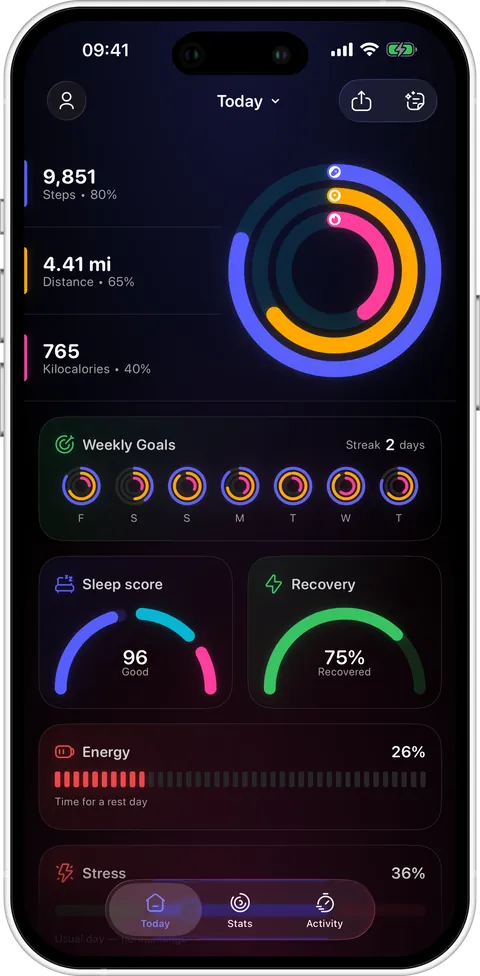
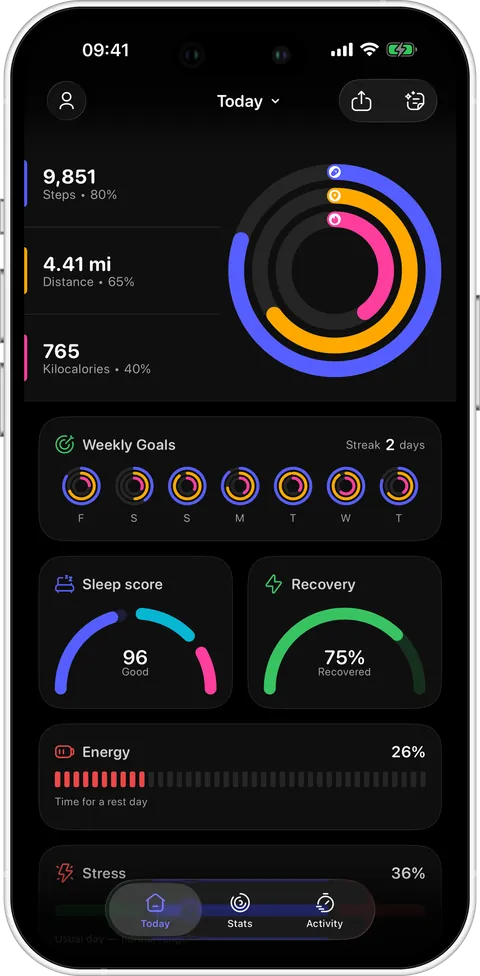
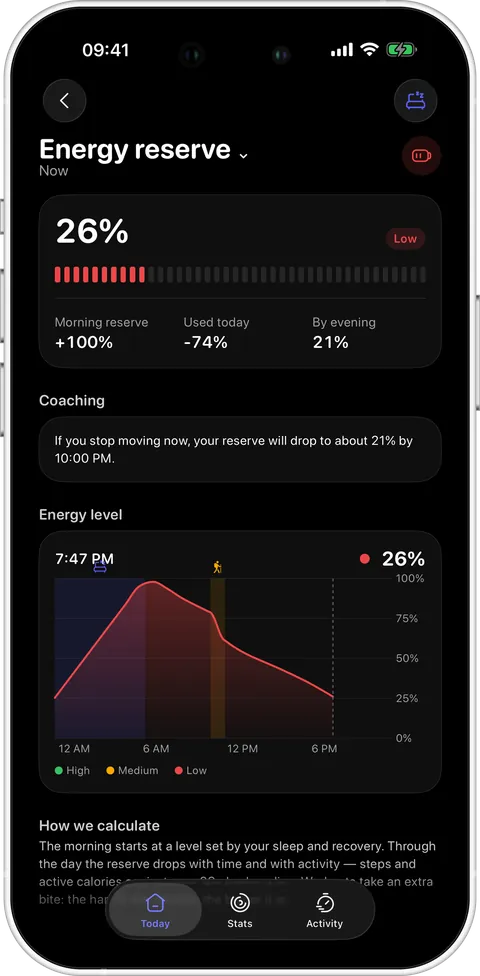
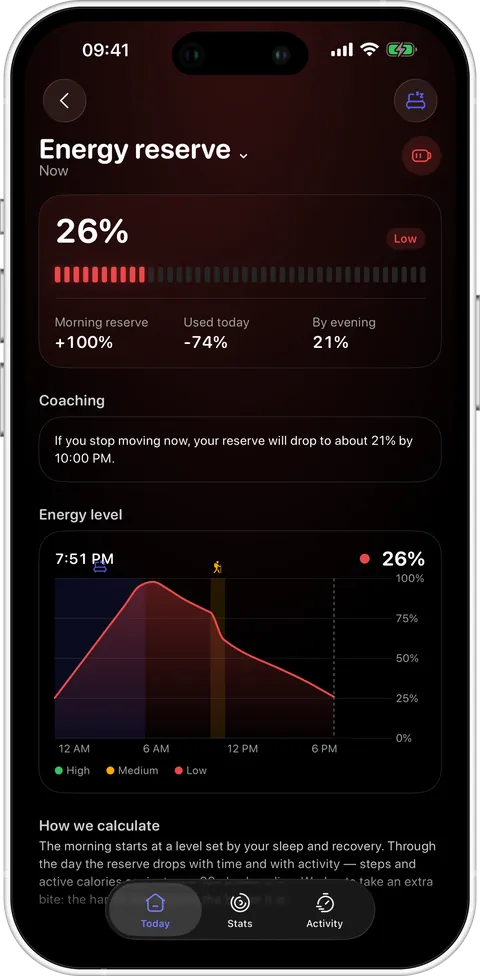
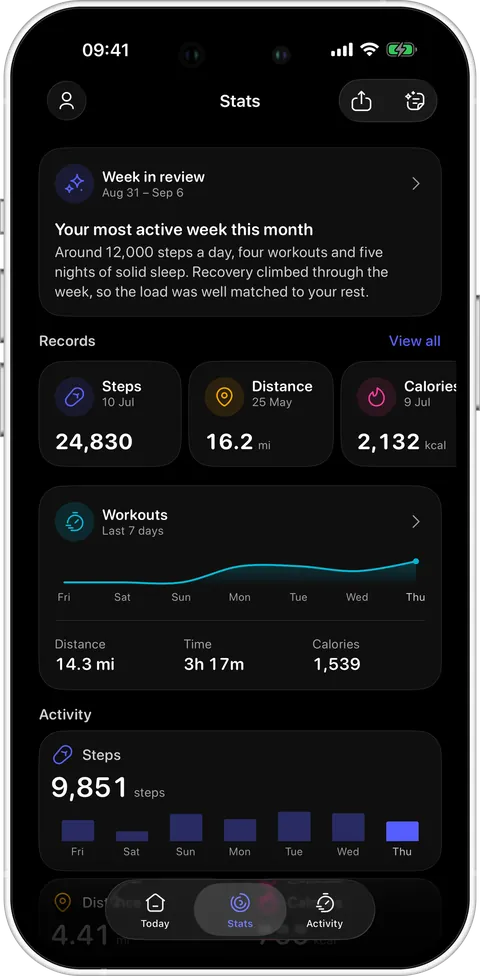
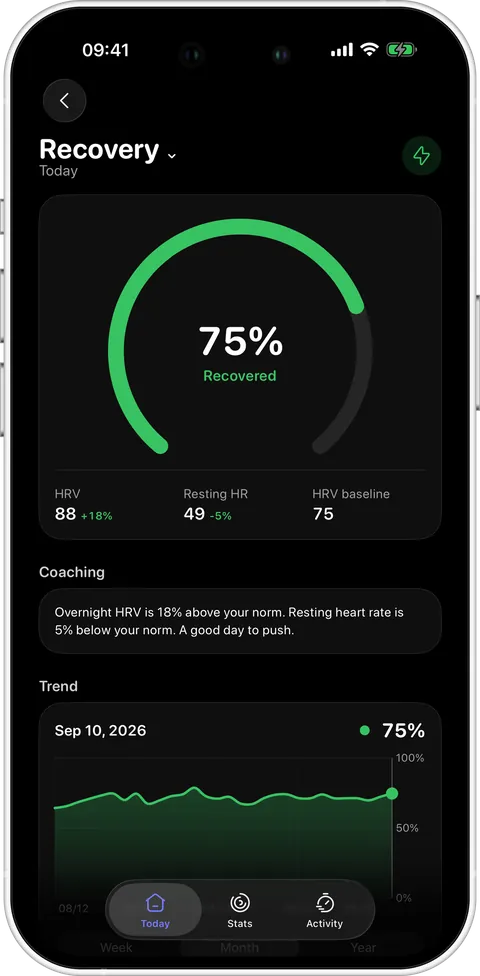
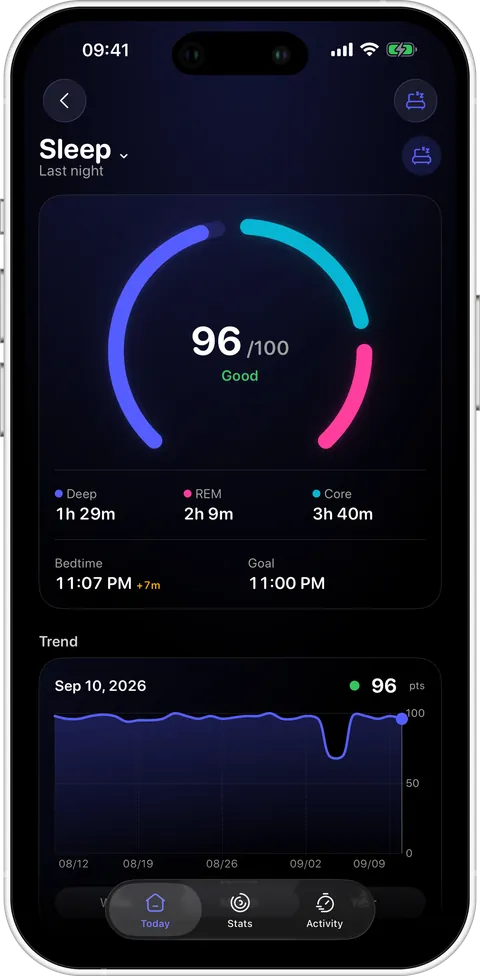
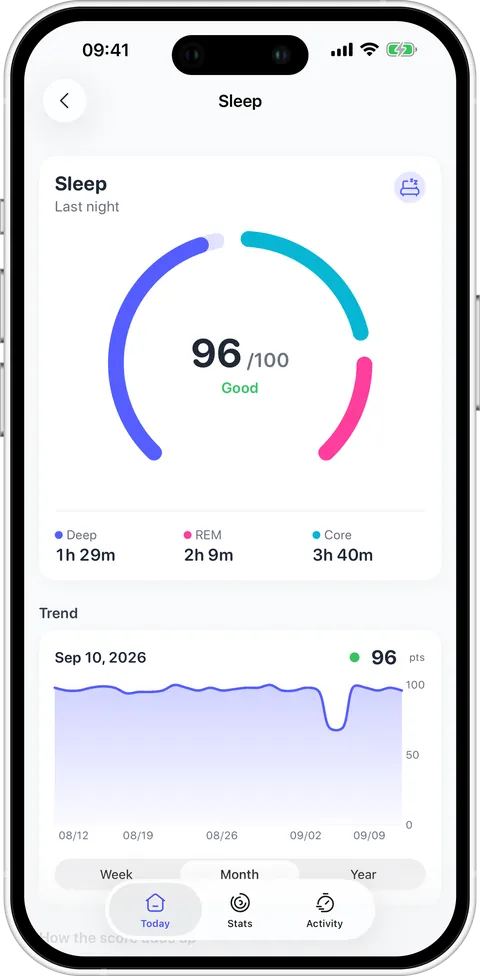
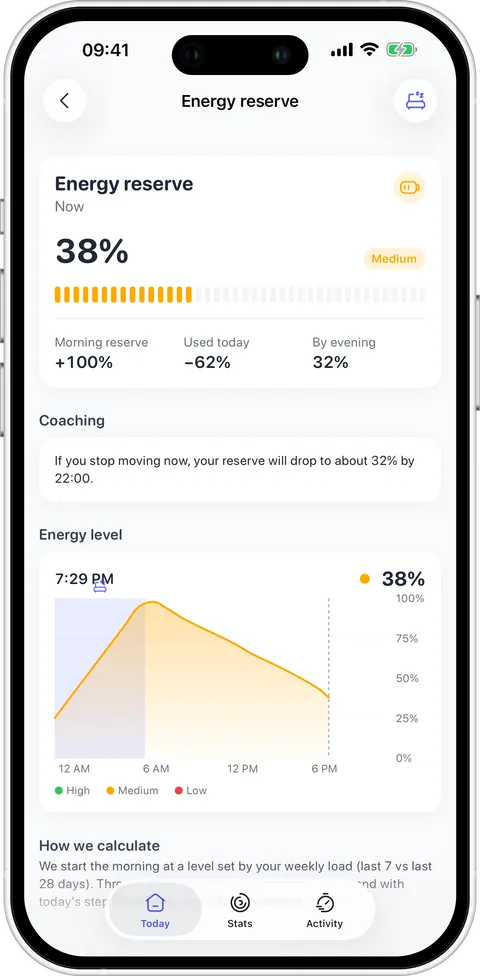
    In a light room a card is lifted by its shadow. In the dark that trick stops working — a shadow on black is invisible. So the whole app was redrawn for dark mode: every active thing now glows instead. A filled gauge, a completed day, the icon of a metric, and behind them the screen itself takes on the colour of what it holds. Nothing empty or inactive glows — grey tracks, axes and settings rows stay flat, and that is what keeps a screen readable rather than a fairground. Drag any handle below to see it. In a light room none of this applies; there a shadow still does the work.
    Today in Podo 1.0.3 Today in Podo 1.0.4
    Energy in Podo 1.0.3 Energy in Podo 1.0.4
    Stats in Podo 1.0.3 Stats in Podo 1.0.4
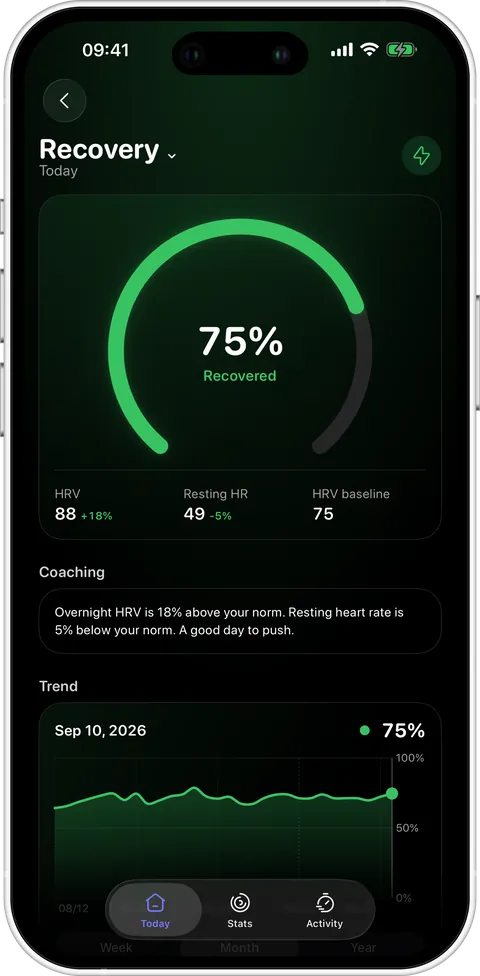
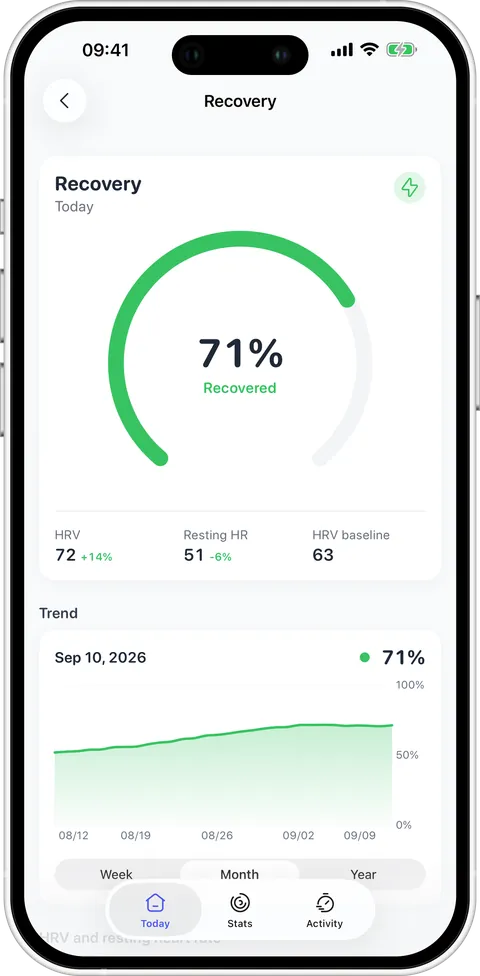
    Recovery in Podo 1.0.3 Recovery in Podo 1.0.4
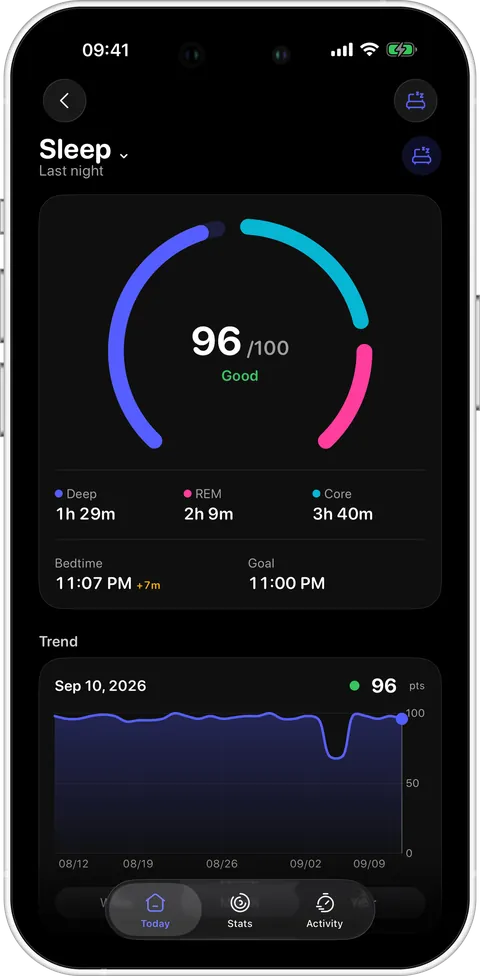
    Sleep in Podo 1.0.3 Sleep in Podo 1.0.4
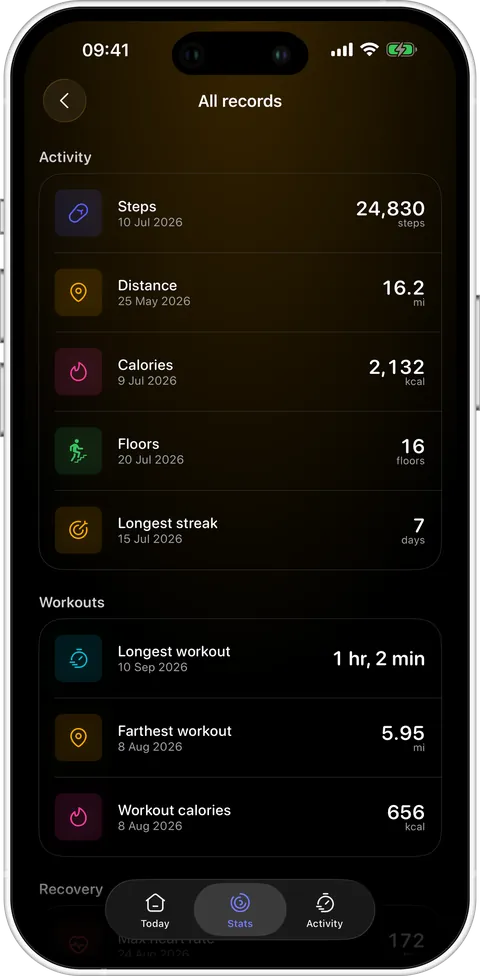
    Records in Podo 1.0.3 Records in Podo 1.0.4
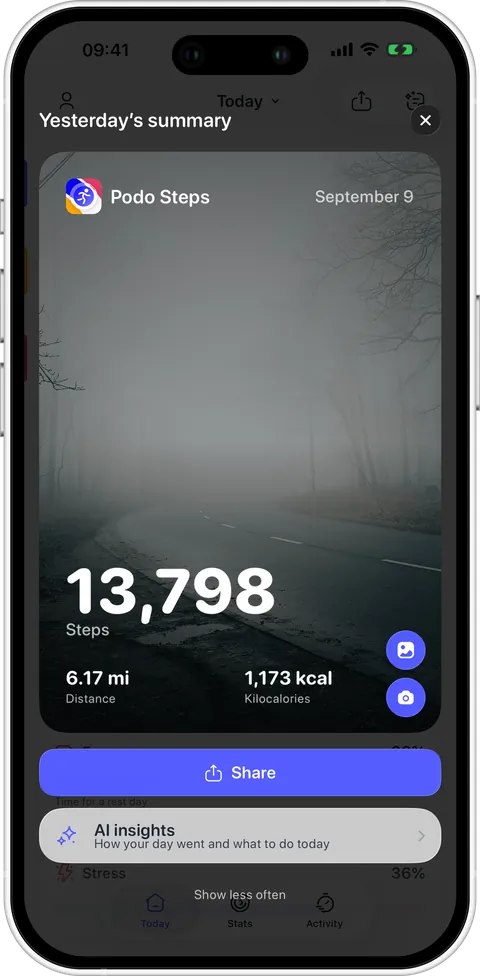
    Shareable summary in Podo 1.0.3 Shareable summary in Podo 1.0.4
    Apple Health request in Podo 1.0.3 Apple Health request in Podo 1.0.4
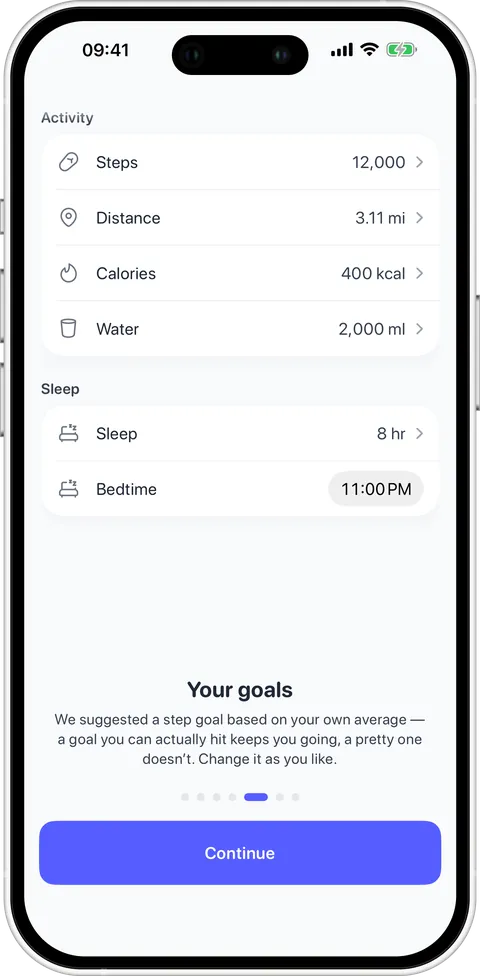
    Goals in onboarding in Podo 1.0.4

    Onboarding now ends by setting your goals, with the step goal suggested from your own average — a goal you can actually hit keeps you going, a pretty one does not.

    • The screen that asks for Apple Health used to sit after the paywall and carried our own pulse mark. It moved into onboarding, ahead of the paywall, and now shows the icon of the app the system dialog is about to open, with every data type Podo reads labelled around it.
    • A new photo behind the day you share — the last frame above, and the only one that changes in both themes.
    • The daily goal is editable straight from the main screen — no trip to Settings.
    • The energy bar fills left to right like a real reserve draining, instead of appearing all at once.
    • Onboarding asks for permissions and goals before the paywall, not after — and the sample page now runs on your own data.
    • The Apple Health screen shows what Podo actually reads: every data type labelled around the icon.
    • Cold start is faster: the splash leaves early and the gauges fill in place rather than fading in.
    • Removed the tilt parallax on permission screens — it made the text hard to read while moving.
  5. 1.0.3

    Sleep without a watch, and honest drinks

    The biggest round of changes so far, almost all of it from what people wrote in. Two things stood out: a step counter should not go blank because you have no Apple Watch, and the coffee and wine in the energy model should be measured, not guessed.

    • No tracker no longer means an empty sleep screen: Podo estimates last night from the iPhone sleep schedule, marks it as an estimate, and lets you correct it by hand on any day.
    • Caffeine and alcohol have real scales against real norms, logged by volume and strength rather than by the cup. The day window is a day, so a late drink stops leaking into tomorrow.
    • The streak screen shows the metrics of the day you picked, right above the calendar — so a broken day tells you what it was missing.
    • Charts with no data say so instead of drawing an empty grid.
    • Distance on slow walking was under-counted and is now corrected.
    • Where the caffeine and alcohol norms come from is written on the screen that uses them.
    • A morning check-in appears once you enter sleep by hand for the first time.
  6. 1.0.2

    A sleep goal, all-time stats, and choosing what to trust

    Several devices can record steps for the same minute — an iPhone in a pocket, a watch on the wrist, a band. Apple Health merges them its own way, which is why two apps can disagree about your day. From this version you pick which source Podo trusts, and a wearable gets priority by default.

    Daily summary in Podo 1.0.2
    Stats in Podo 1.0.1 Stats in Podo 1.0.2
    Sleep in Podo 1.0.1 Sleep in Podo 1.0.2
    Energy in Podo 1.0.1 Energy in Podo 1.0.2
    • A written summary of the day that everyone gets, free — a card you can read in a few seconds instead of reading four charts.
    • The screen got a proper title with a day picker, and under the score — the time you actually went to bed against the time you meant to. That comparison is what the new sleep goal is for.
    • The reserve is coloured by how much of it is left rather than always amber, and workouts show up on the curve as their own band — you can see which climb was the walk.
    • Statistics now cover your whole history in Apple Health, not just the period Podo has been installed.
    • Data sources: choose which device Podo reads steps, sleep and heart data from.
    • A sleep goal, alongside the goals for steps, distance and calories.
    • Goals are set up in a sheet right after onboarding, so the first day is not spent on defaults.
    • AI weekly review and AI workout insight added to Podo Pro.
  7. 1.0.1

    Permissions that explain themselves

    A health app that asks for Apple Health on the very first launch gets refused, and a refusal is hard to walk back. Permissions moved to the end of onboarding, after the screens that show what Podo does with the data — so the system dialog arrives when the answer is obvious.

    Recovery in Podo 1.0 Recovery in Podo 1.0.1
    Today in Podo 1.0 Today in Podo 1.0.1
    • A line of coaching under the numbers: what your overnight HRV and resting heart rate mean today, in a sentence, instead of leaving you to read three figures against a baseline.
    • The main screen got tighter — bigger rings, wider cards, less air around them, so more of the day fits before you scroll.
    • Apple Health access is requested after onboarding, in context, with the reason on screen.
    • Full localisation pass across all 15 languages — the strings that were still showing in English.
    • Distance units follow your region properly, kilometres or miles.
    • Apple Watch sync fixed: the watch app and the phone now agree on the day.
  8. 1.0

    Where it started

    The first release. A step counter that reads Apple Health instead of counting on its own — so your whole history is there on day one and the numbers match the Health app. Steps, distance and calories in three rings, plus the things a step counter usually leaves out: how you slept, how much energy is left, and whether you have recovered.

    Today in Podo 1.0

    Three rings for steps, distance and calories, with the day’s metrics beside them.

    Sleep in Podo 1.0

    A 0–100 sleep score and a hypnogram of Awake, REM, Core and Deep stages.

    Energy in Podo 1.0

    How much energy is left today, from last night’s sleep, your steps and your workouts.

    Recovery in Podo 1.0

    Overnight HRV and resting heart rate against your own 14-day baseline.

    Stats in Podo 1.0

    Day, week, month and year charts, with personal records for every metric.

    • Walks, hikes and rides recorded with a GPS route and saved to Apple Health.
    • Four Home Screen widgets and an Apple Watch app.
    • 15 languages from the first day.
    • No account, no ads, no analytics SDKs.